
Prep less. Teach more.
Know exactly where every student stands.
Turn a PDF into a full interactive lesson, schedule assignments that send themselves, and read each student's error patterns instead of guessing. Every item you publish is quality-checked before it reaches a learner.
Teach one student, or the whole class,
from inside the app.
Start a teaching session from any student in your panel and you are in their app: their lessons, their practice, their speaking exercises. Or start a class session from a group and lead everyone at once: each activity you work through together is credited to every student present. You lead, they answer, and the results land on the students, not on you. No screen sharing, no parallel accounts, no lost work.
One-to-one or whole class
Enter a single learner's space, or pick a class group and choose who is in the room today. A persistent banner shows who you are teaching and ends the session when you are done.
Credited to every student
Guided work counts toward each participant's CEFR points and promotion, exactly like solo work, because guided practice is still practice.
Transparent, and measurable
Every guided activity is badged “Led by” in the timeline, progress splits into solo versus teacher-led, and a class report tracks accuracy and scores over 30, 90 or 365 days.
Prep
Teacher Studio
A block-based lesson editor with bilingual EN plus native-language fields, a reusable block library, and a draft → review → publish workflow.
From PDF to full lesson
Upload a worksheet or text and get a structured lesson with grammar cards, dialogues, exercises and 15 vocabulary items with translations.
Quizzes and exercises on demand
Generate quizzes from a lesson or a PDF: multiple choice, fill in the blanks and true/false, randomised, with a pass threshold you control.
Run the class
Groups and invites
Create class groups, look up a student by email or name, and send an invite, or share a join link. New students arrive already attached to your class.
Scheduled and automated
Assign work by hand, or set a cadence rule that distributes matching content by level and skill on a recurring schedule while you sleep.
Lead a student or a whole class
Enter an individual student's learning space, or run a class session for a whole group. Answers are recorded to each student present and badged as teacher-led, with a rolling class report.
Talk to the whole class
Publish announcements to a group, review submitted work, and reply with written feedback students see on the exercise itself.
See everything
Six-tab teacher hub
Overview, students, assignments, announcements, feedback and reviews: the whole class in one place, with role-gated access.
One student at a time
Open any learner for their overview, full activity timeline, recurring error patterns and AI insights on what to teach next.
Performance by skill and level
Assignment reporting shows completion and scores broken down by skill and CEFR level, so gaps show up before the exam does.
Pedagogical quality
The longest option is never the giveaway
Every multiple-choice item is scored for option length and correct-answer position, and can be rebalanced automatically.
Only certified content ships
Content gets a 0–100 quality score and must clear the threshold before it can be released to students or the shared library.
Teach your tutor
Upload your own texts, PDFs or links so the AI tutor answers your students using your material, in their support language.
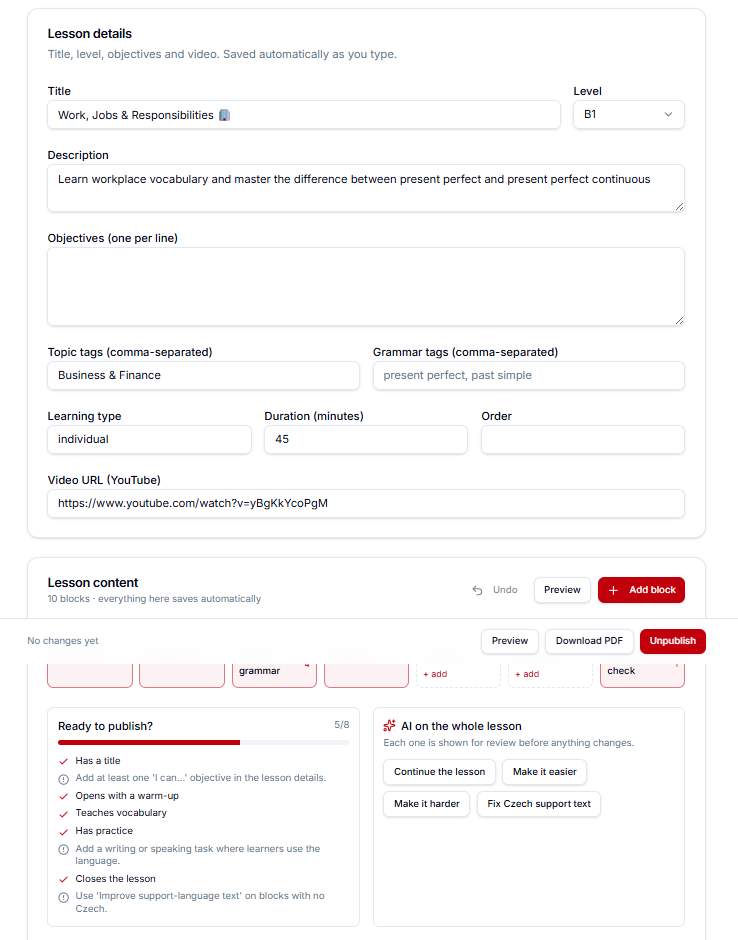
A lesson, built block by block.
Seven stages, a readiness checklist and AI help on any single block, so a lesson is finished properly, not just finished.
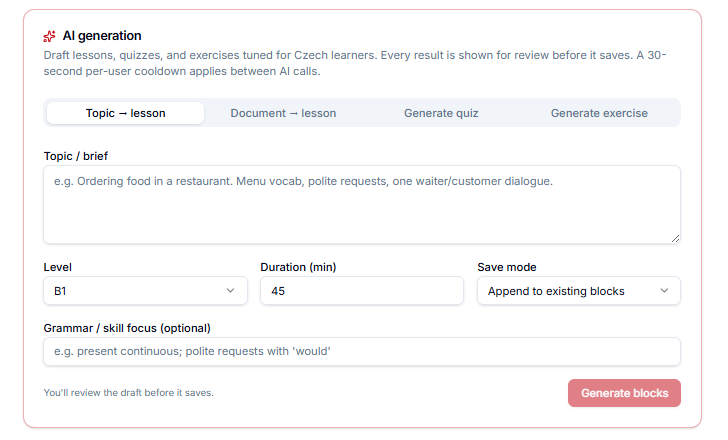
Drafts in a minute. You stay the editor.
Lessons, quizzes and exercises tuned for Czech learners. Every result is shown for review before anything saves.
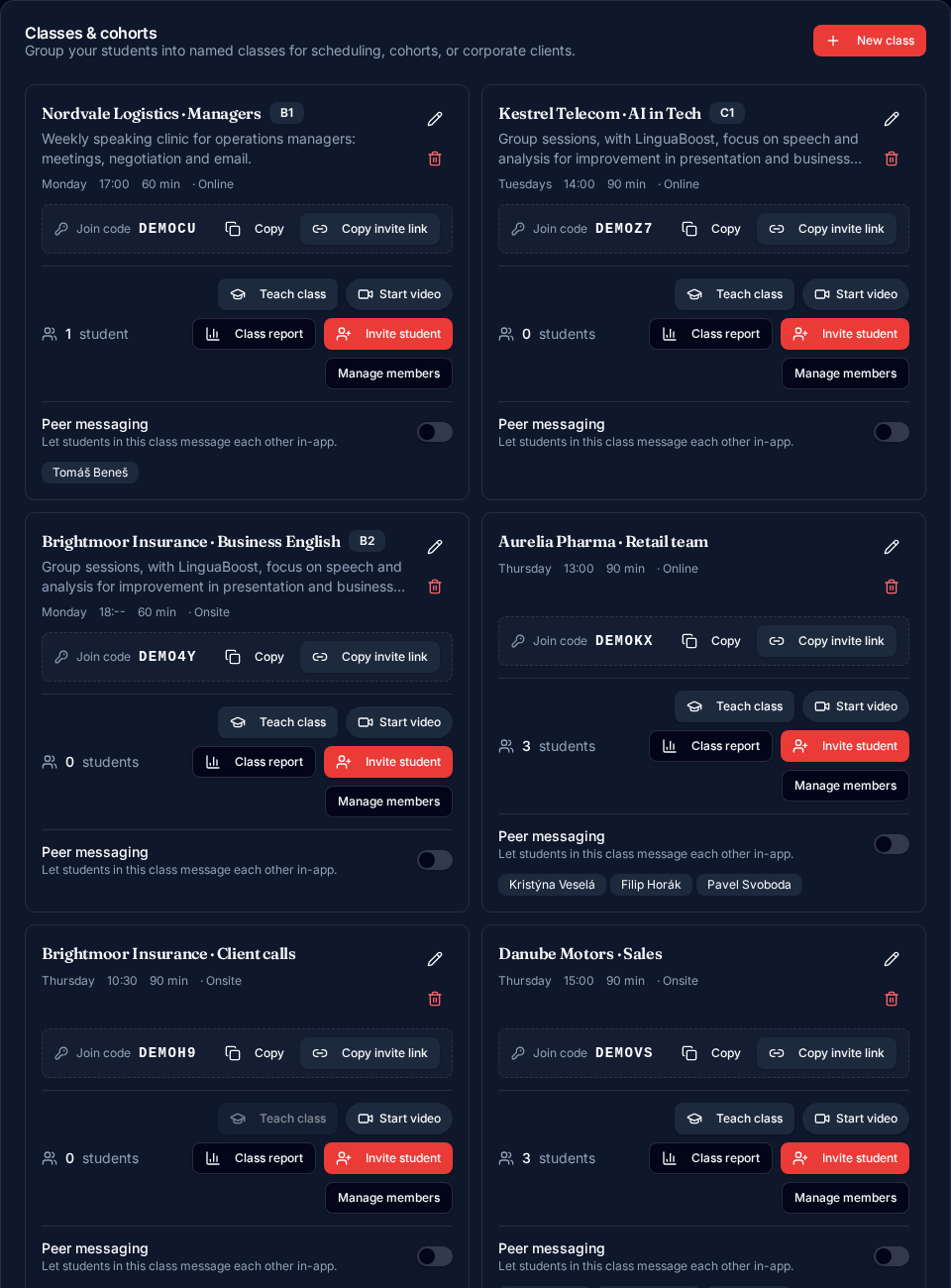
Your groups, rosters and join codes.
Named classes with invite links, a class report, live video and one-tap teaching for the whole group.
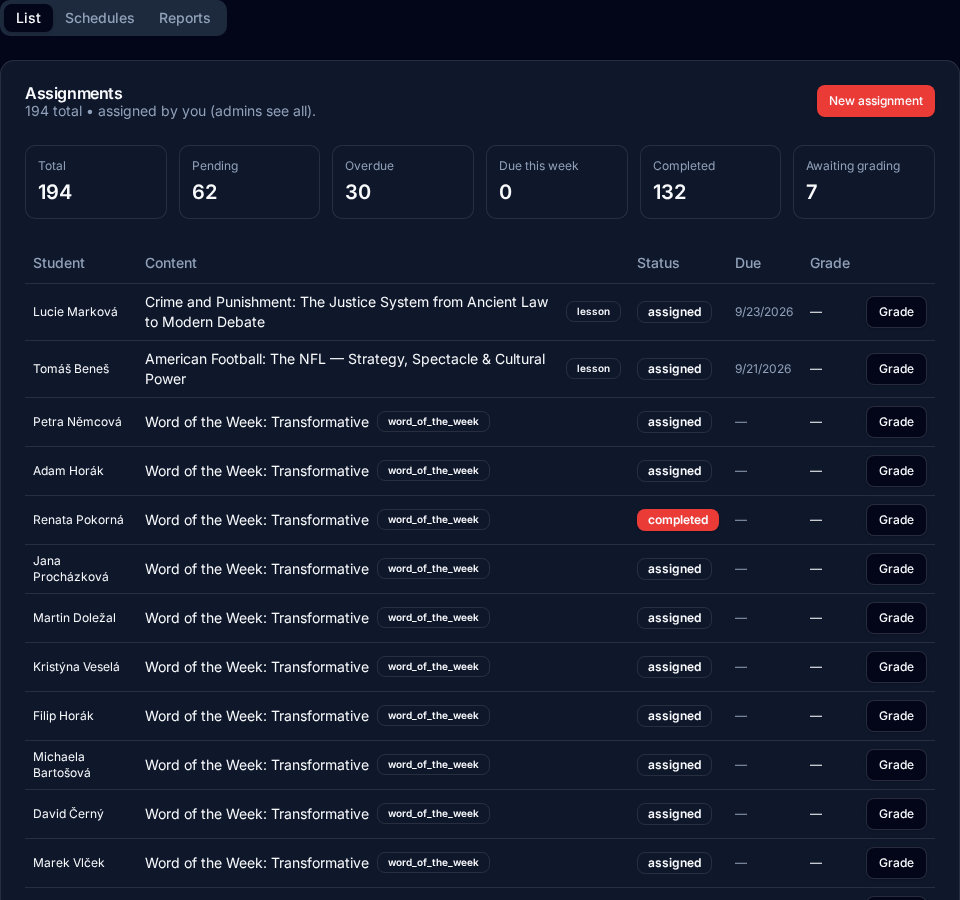
Work that hands itself out.
Set a cadence and matching content goes out by level and skill, with completion and grading tracked for you.
Teach your tutor your material.
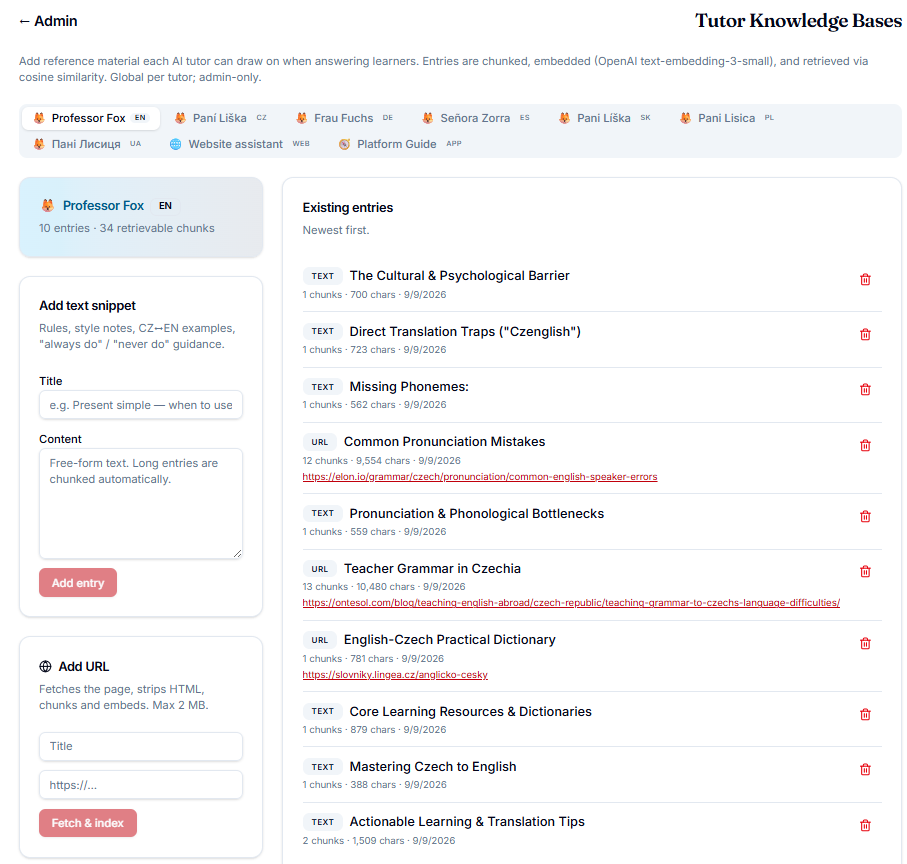
Add your own texts, files or links per language specialist, then test what the tutor retrieves before your students ask.
Songs, classics and speaking tasks, all class-ready.
Three libraries of material your students actually want to do, each levelled A1 to C2 and assignable to a class in a couple of clicks.
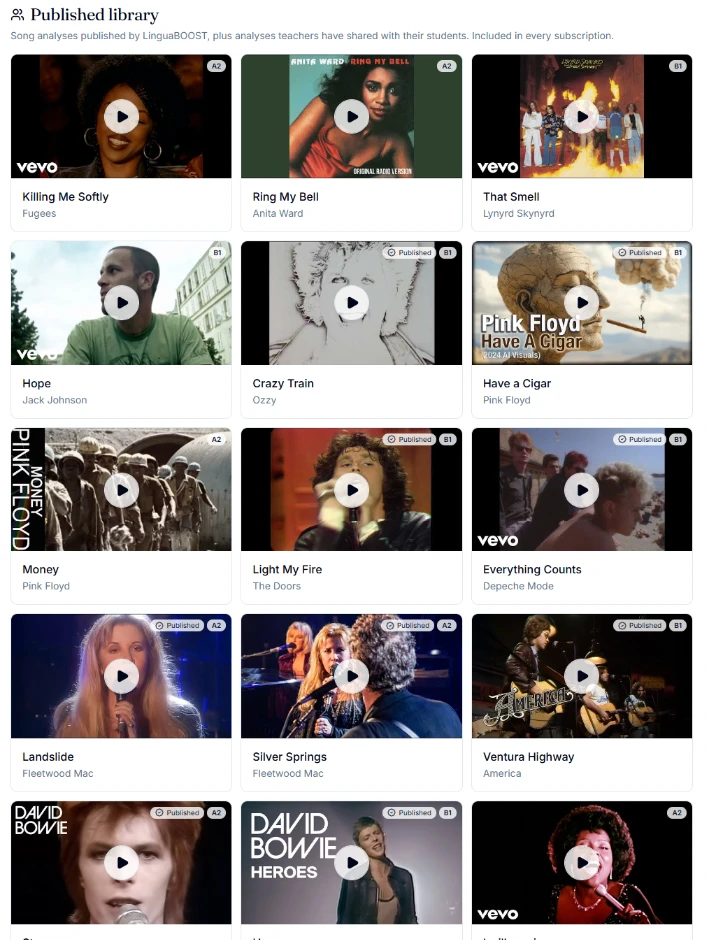
- 1Music: a song becomes a lesson, with the official video beside the lyrics, then vocabulary, idioms, grammar and productive practice.
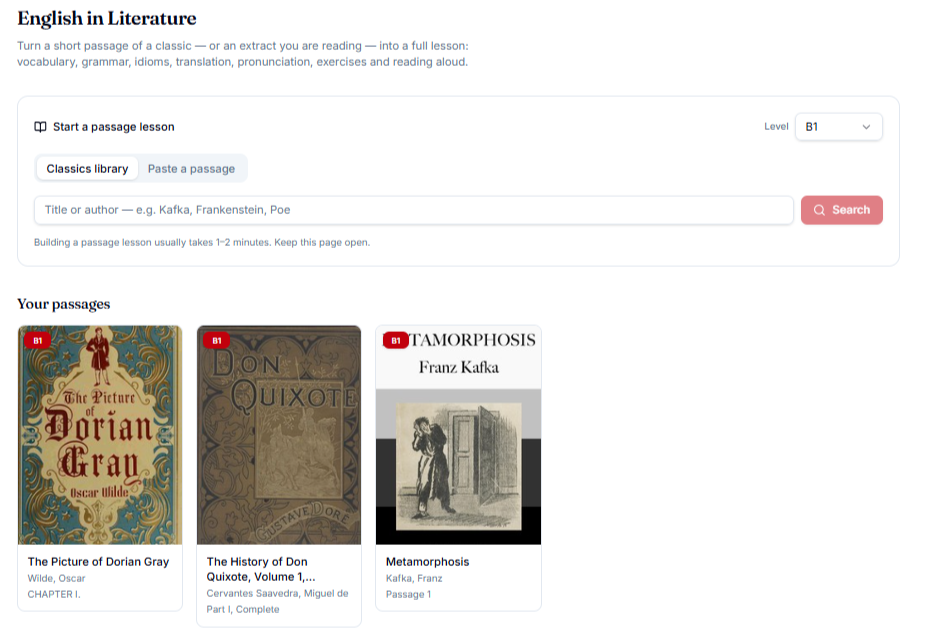
- 2Literature: a classic passage with a plain-English introduction, read-aloud audio, author context and exercises from the text.
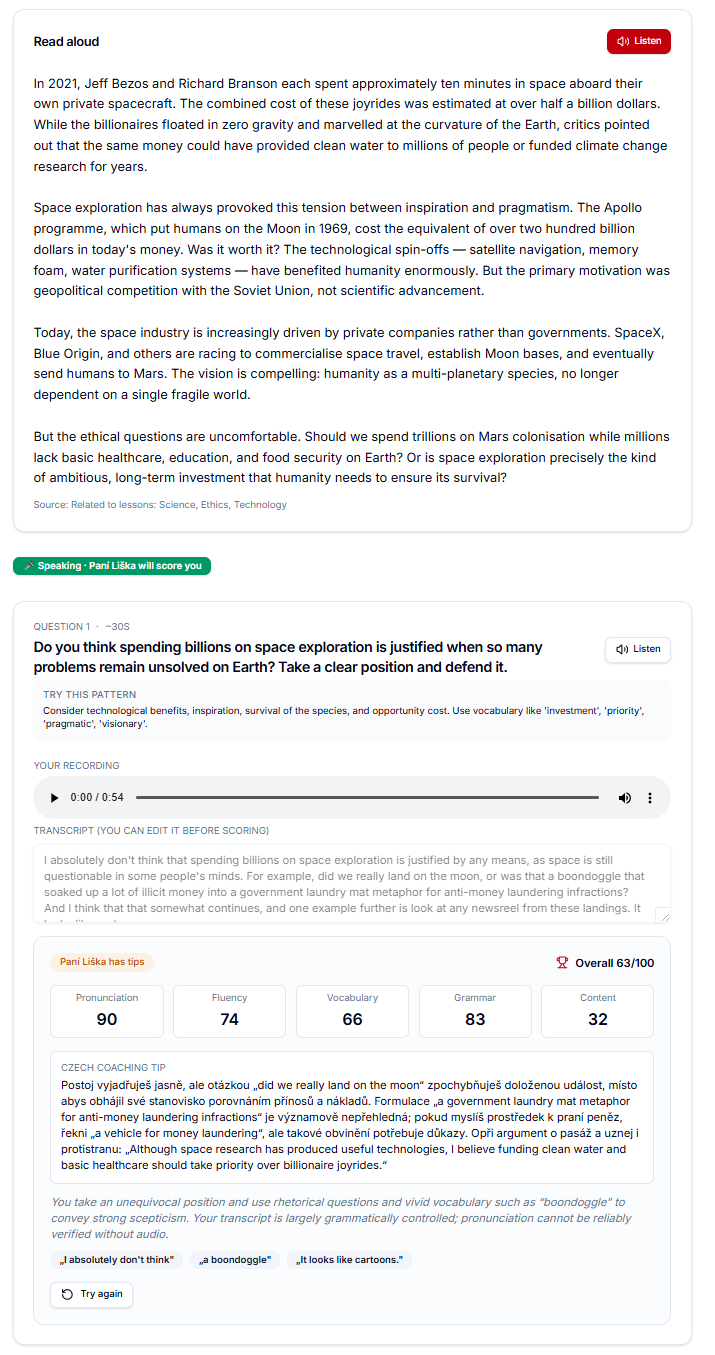
- 3Speaking: read-aloud and open-answer tasks scored on pronunciation, fluency, vocabulary, grammar and content.
- 4Everything students produce is graded with written feedback and lands on their timeline, so you can see who is struggling and where.
- 5Share your own songs and passages with a class, or keep them to yourself.
How you start
- 1
Create your teacher account
Sign up and get your studio, your class tools and a credit allowance included in your plan.
- 2
Bring your material
Upload a PDF or start from a template, and the lesson, quiz and vocabulary are built for you, then you edit anything you like.
- 3
Invite your students
Send invites by email or share a join link, set an assignment cadence, and watch progress land in your dashboard.
Ready to teach smarter?
Build a lesson in minutes, hand out work that schedules itself, and see exactly where each student is stuck.